At this year’s 2026 North Star Radio Convention, I presented on the topic of how important your power supply and the components responsible for delivering power to your rig are in the performance of your radio system.
WPSD MMDVM Reselect Modem Prompt – April 2025
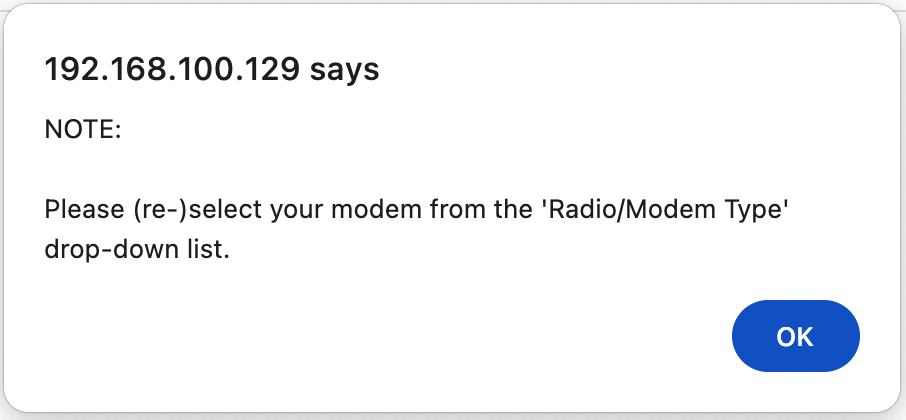
Did your WPSD-based hotspot using an MMDVM modem prompt you to re-select your modem on the configuration page today?
I noticed today that some of my MMDVM hot spots running WPSD were now asking me to identify the modem I was using. They seemed to function still, but moving forward with any future configuration changes would require me to choose a modem.
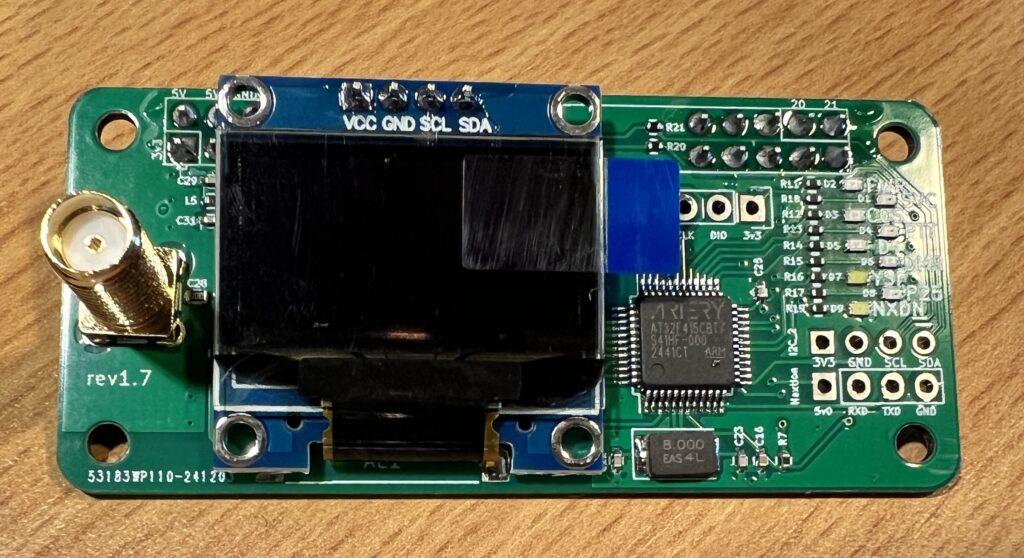
A few of my hot spots are running the MMDVM hardware that I purchased through Aliexpress. These are relatively common, and I have had excellent luck with them as simple/low-cost hotspots. They are easily identified with the OLED display and a Ver 1.7 designation printed on the modem board.
I did not have any documentation of what I previously selected as a modem. I recall choosing the STM32 board because it has an STM32 clone/compatible chip (AT32), but this was not working. I tried all of the MMDVM choices without any success.
After scanning the WPSD Facebook and Discord communities, I found others having the same issue. Chip called out the importance of selecting the specific modem board you are using, as the generic modem entries are being retired.
The change log for WPSD documented this well. The easiest way to find the change log is to go to Admin -> Advanced -> Tools -> Change Log from the main dashboard menu.

Using the “sudo wpsd-modemdetect” command from an SSH prompt in my hotspot, I determined I should use the “MMDVM_HS_Hat” selection. I had tried that, but I failed to notice that the baud rate had been set back to 460800, which was now being discovered at 115200. I do not remember changing that previously, but changing the baud rate made the difference!


If you are encountering the same issue, try using the wpsd-detectmodem command to help make sure you are choosing the correct modem and baud rate.
I hope this eliminates some confusion and quickly gets you back on the air!
Dale – W0DHZ
2024 Northstar Radio Convention Follow-Up
Thank you all for attending the 2024 Northstar Radio Convention!
If you attended one of my sessions, here are PDF copies of the presentations that I presented:
Check back soon, as I will upload a parts list for my battery box.
73!
Dale – W0DHZ
Creating Your Own Portable Case for the Halibut Headset Interconnect Contesting Console
I purchased my HHI Contesting Console and Radio Pro from Halibut Electronics to use on portable POTA activations that my wife and I do together. She is recently licensed, and I wanted a more efficient way to do multi-op operations with headsets without passing a mic back and forth.
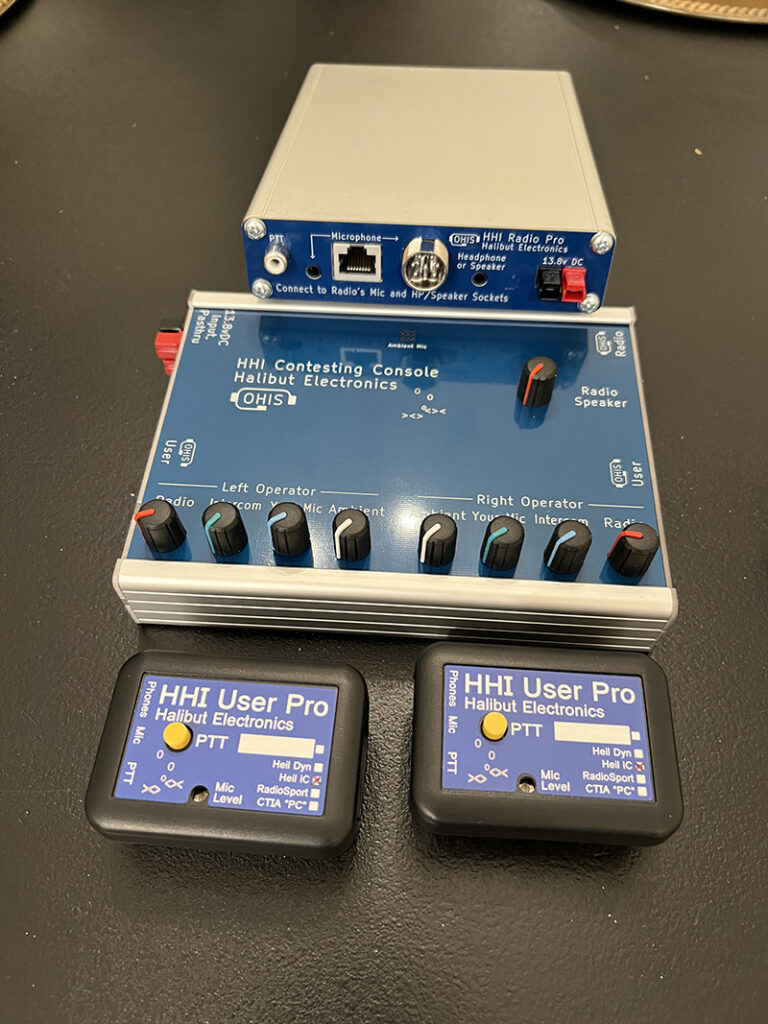
When I received the components: HHI Radio Pro, HHI Contest Console, User Pros, and the associated cables, I knew I had to make a few mods to make this a little easier for fast deployment with portable operations.
I started to 3D print a few designs that could encase the the two main components into a single unit, and then I went to bundling the cables into an easy-to-work with a harness. I used 1/2 inch PET expandable braided sleeving to bundle the main harness of power, headset, and 8-pin Icom mic cable).
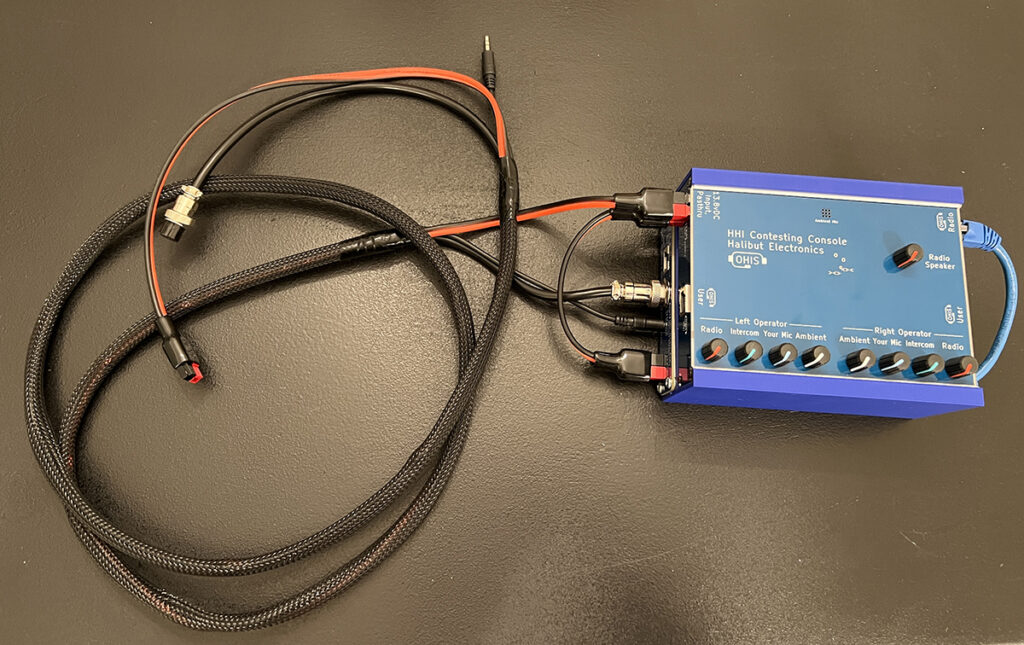
I ordered a 6″ Shielded Cat6A 26 AWG cable to connect the two boxes together and built an 8″ Power Pole cable to pass the power from the Contesting Console to the Radio Pro.
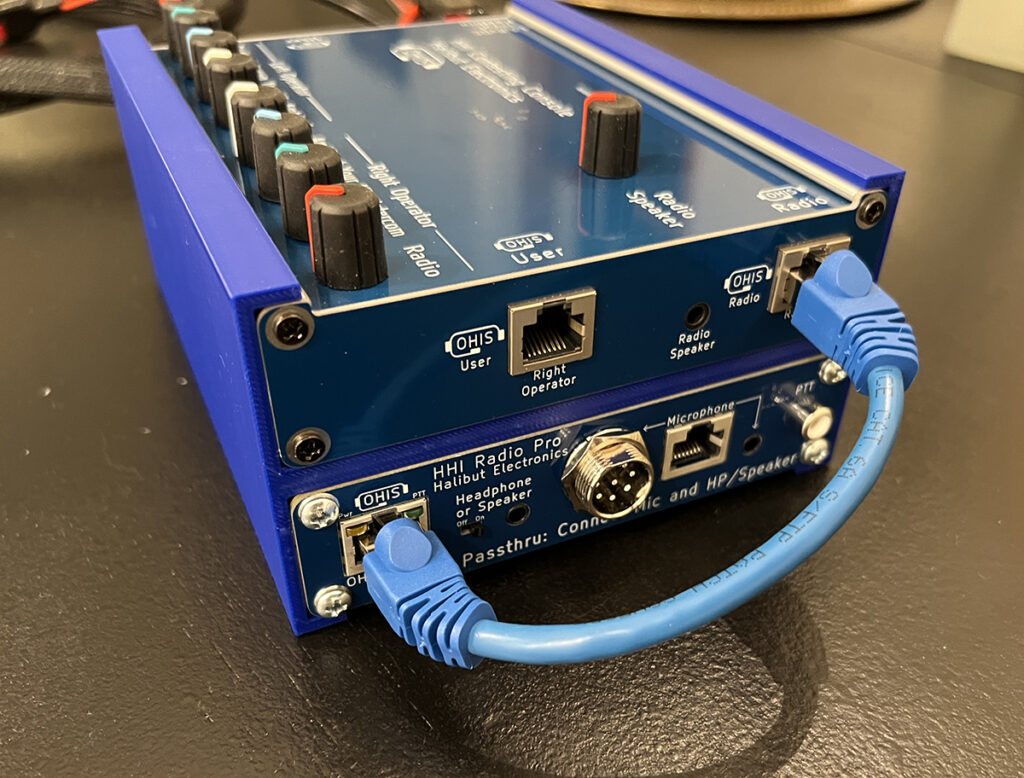
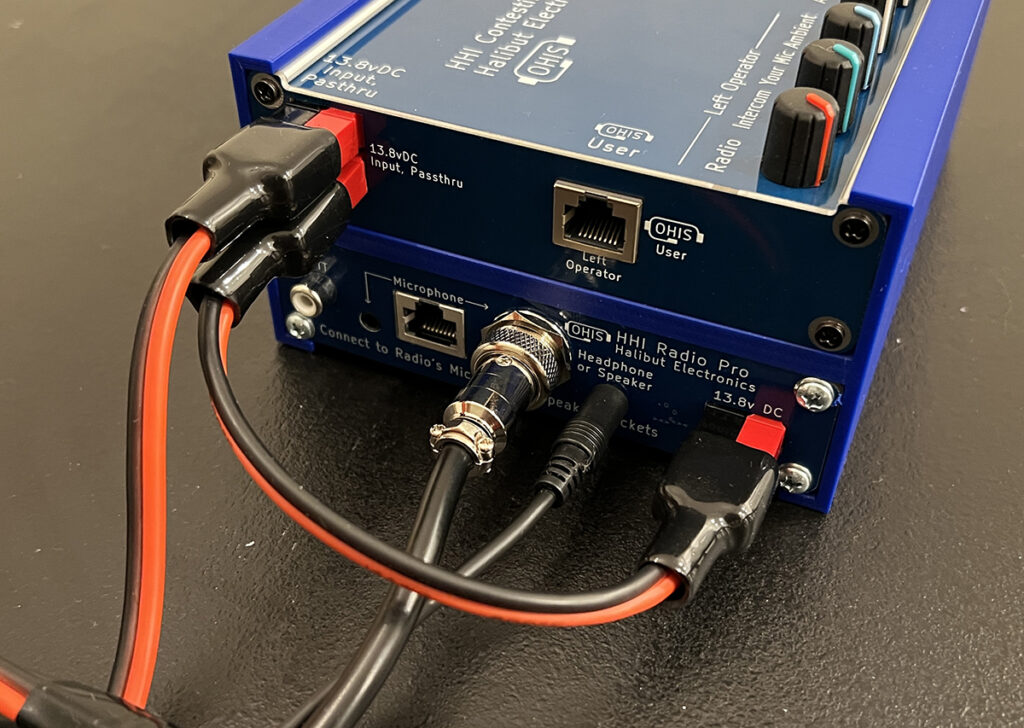
Now I had a very compact unit that I can cable up quickly and get to operating.
I went through several iterations of 3D printing an enclosure. I tried versions with locking mechanisms to keep the two boxes from shifting back and forth, but ultimately, I landed on the most simple design that uses friction to hold them in place. I can add a thin piece of Scoth two-sided tape to hold things in place if needed. I am really happy with this thin/clean design.
Here is an action shot of us using the rig on my wife’s first POTA activation this weekend. It worked perfectly!
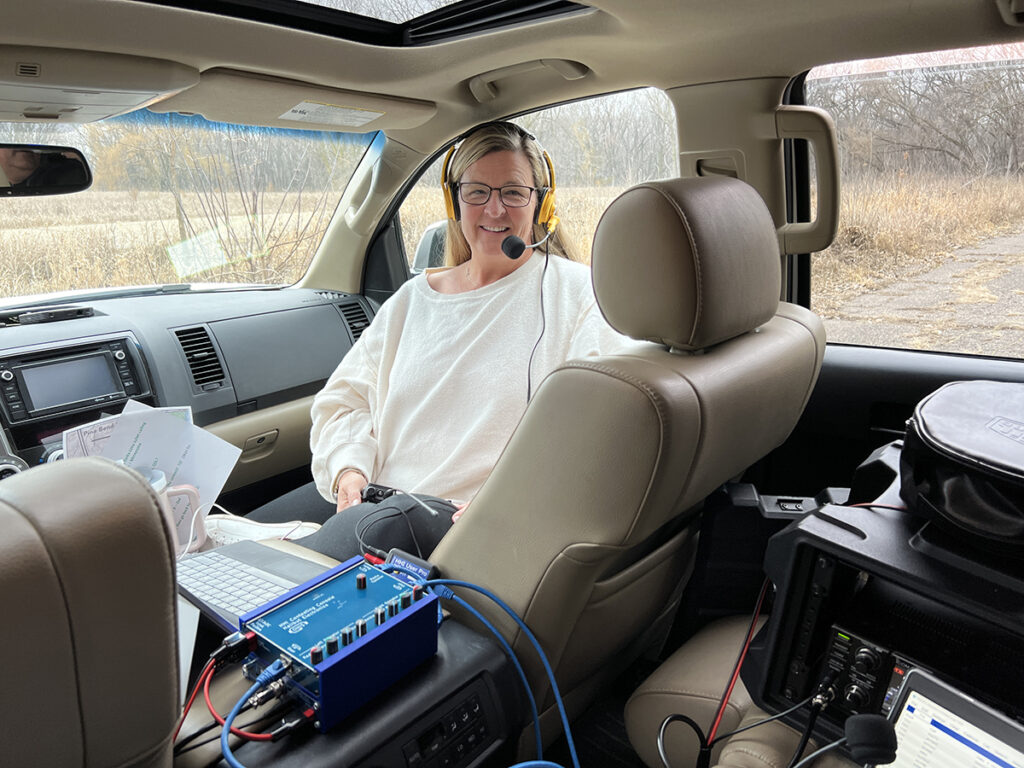
We had to work from inside the car as it was about 32 F outside.
If you want to print one of these cases, use the link below to download the STL file.
HHI Radio Pro and Contesting Console Portable Case STL File
It was printed with PETG / 2 Wall Perimeters / 15% Infill. I tried to print with 3 wall perimeters, but I found it too rigid to slide the devices into place. Two wall loops allow it to flex a bit while providing some friction.
If you don’t have a 3D printer, Aaron Scullin at Hitched4Fun.com can help! He has this and many other excellent ham radio and RV accessories.
This all fits very nicely into a Harbor Freight Apache 3800 case.
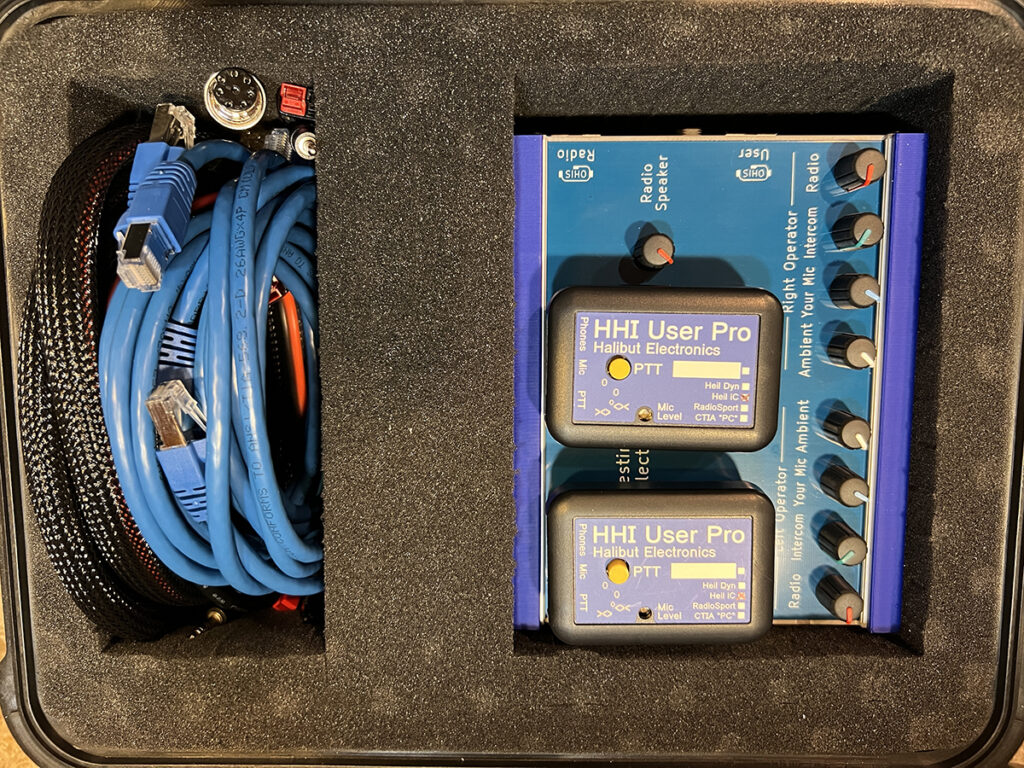
Now, I have a compact and quick-to-deploy rig to make multi-operator operations quick and easy!
Let me know if you have any suggestions to make things better!
Other Parts List
Ham Radio Resources – Don’t forget to give back!

Some pretty amazing people and organizations are providing valuable tools and services to the ham radio community. These tools and services make our lives easier and add value to this hobby.
Providing these capabilities to the amateur radio community is not always cheap. And many of them are using their personal funds occasionally to keep their tools and services available to all of us.
I periodically try to make sure that I am helping to support these individuals and organizations. You can do so by donating through their websites, joining their Patreon groups, contributing to their “Buy me a coffee”, super chats in their web streams, purchasing some of their merchandise, or utilizing their affiliate links.
Here are a few that I make sure to give back to regularly, as they provide great value to me as I continue to grow in this hobby.
Parks of the Air
The Parks on the Air program runs a good deal of cloud infrastructure to provide the park directory, spotting page, and awards system. Without this platform, the Parks on the Air program would not be as successful as it is. The program continues to grow as it adds more parks and countries to the program and pota.app features such as online log submission/processing through their web page.
You can support them by buying POTA merchandise, making a donation through PayPal, Venmo, or directly via their website at https://parksontheair.com/shop/.
QSO Map
Many of us use https://qsomap.org/ to create visually appealing maps of contacts and POTA activations.
They accept donations via https://qsomap.org/donors.php.
Ham Radio Logging Software
Although I purchased my logging software N3FJP some time ago, I continue to receive updates to both the software and callsign/country database. These updates are provided free of charge, but I still try to remember to contribute now and again to support Scott and this great piece of software.
You can make a donation via their gift jar at https://www.n3fjp.com/donations.html.
Your Favorite Content Creators
Many of your favorite content creators on Youtube have Patreon sites, Super Chats during live streams, and Buy Me A Coffee/Tip Jar links. The content these creators post takes an amazing amount of time to produce and post. The value that I have gained from these creators makes up for a donation here and there. I have discovered equipment that has made my ham radio experience better, avoided equipment I didn’t need, and they have turned me on to many time-saving tips.
Take time to find out if your favorite content creators have donation tools to help them continue producing the content you love.